30 Sept 2026 · 5 min read · — reads
da wall
Reading
The tablet was working as a monitor and a webcam, but whenever it wasn't being a screen it sat on stock Launcher3, which looks like every Android tablet ever made. I wanted it to look like something. I landed on the Nokia Lumia / Windows Phone 8 look: the giant panorama title that scrolls slower than everything under it, live tiles that flip over, and the turnstile animation when you open an app.
So i wrote a home screen for it. It's called Lumia Wall, and the big title across the top says da wall (it used to say "uday's great wall").
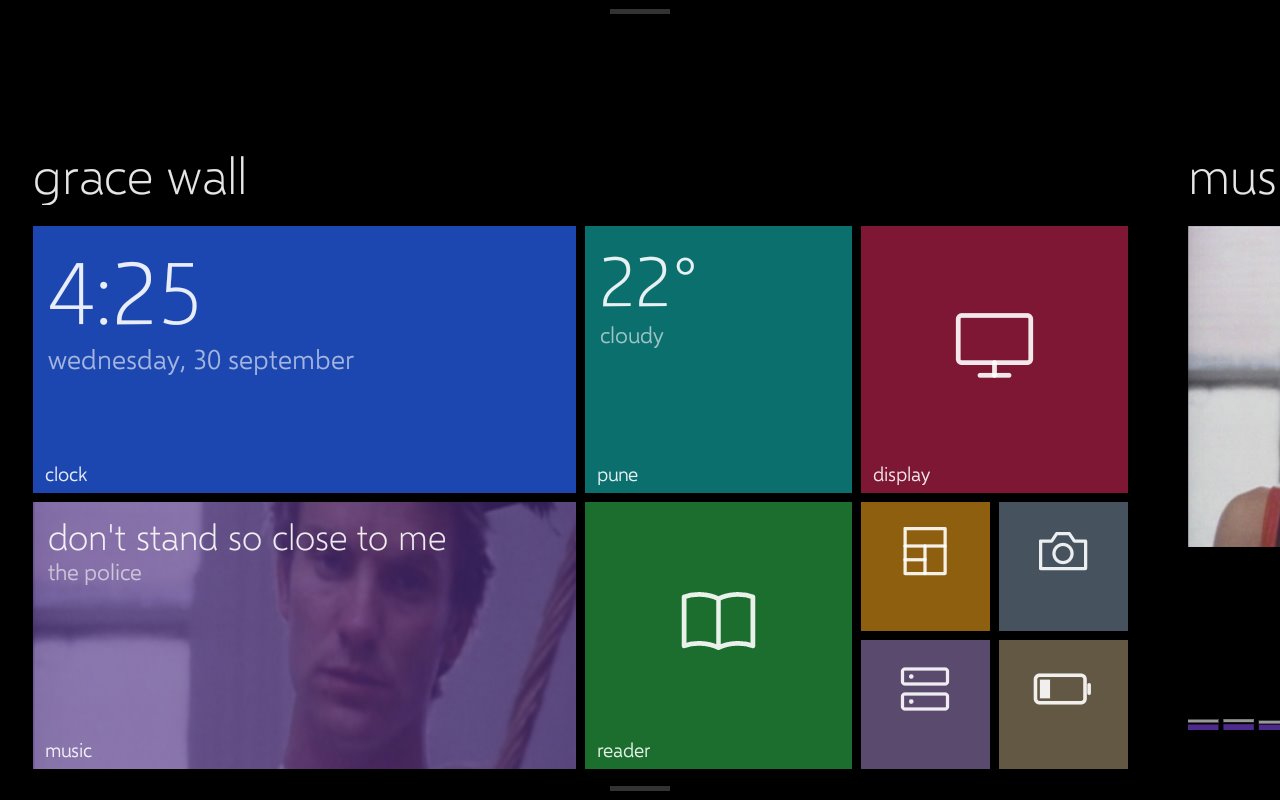
It's a tiny app with no Gradle and no AndroidX, just framework APIs, built with aapt2, javac and d8 from a PowerShell script. Two Windows quirks came with that. android.jar is missing the class javac needs for lambdas, so a fake stub sits on the classpath at compile time. And aapt2 on Windows stores assets with a backslash in the path (assets/fonts\x.ttf), which Android can't find, so the fonts get zipped in by hand. The font is Microsoft's Selawik, which is open source and has the same metrics as Segoe UI, so it gets really close to the real thing.
music and lyrics
The laptop runs a small companion i called WallBridge. It reads what's playing from Windows' own media controls (the same thing the volume flyout shows), grabs the cover art, and runs an FFT on whatever the laptop is playing so the tablet can draw a live spectrum. The tablet talks to it over the same USB cable through an adb reverse.
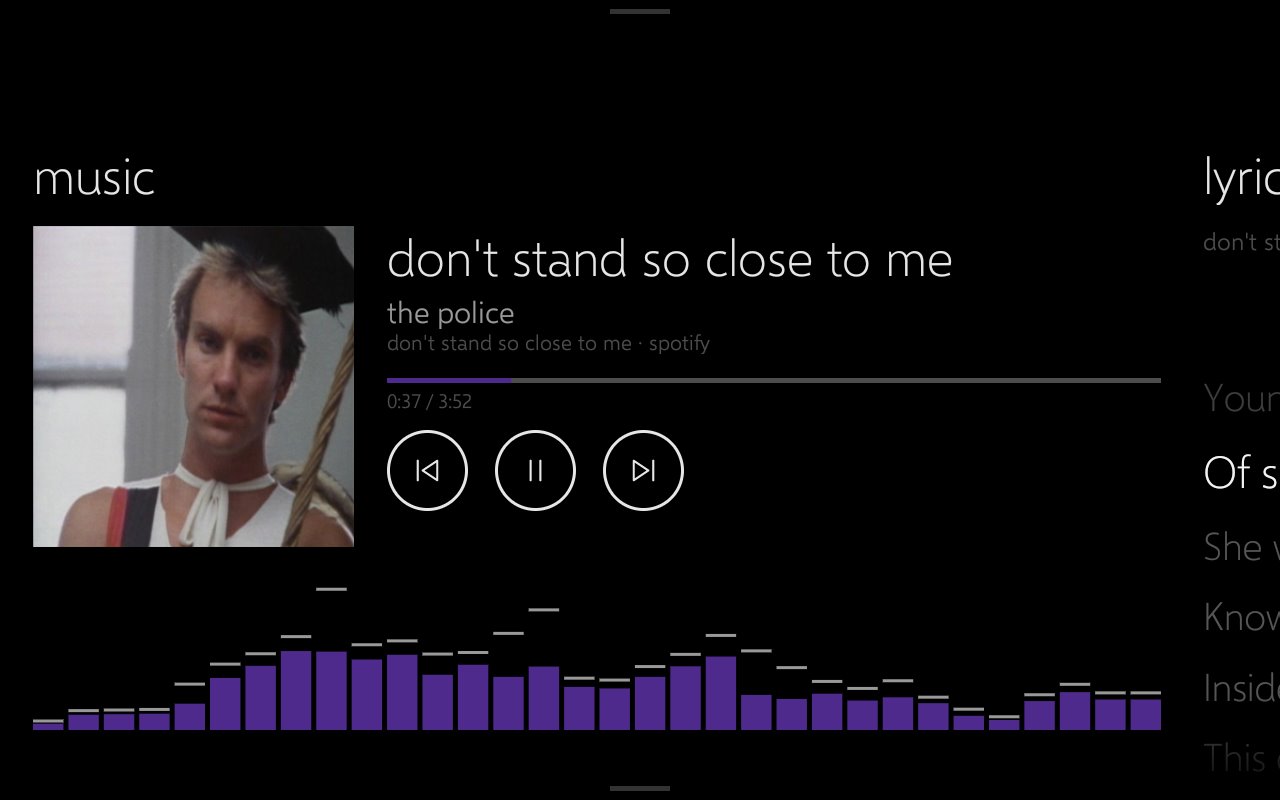
Pause detection was annoying. Spotify reports pause properly, but a lot of websites never tell the browser they paused, so Windows keeps saying "playing" forever. WallBridge now listens to the browser's actual audio level instead and calls it paused after a couple of seconds of silence.
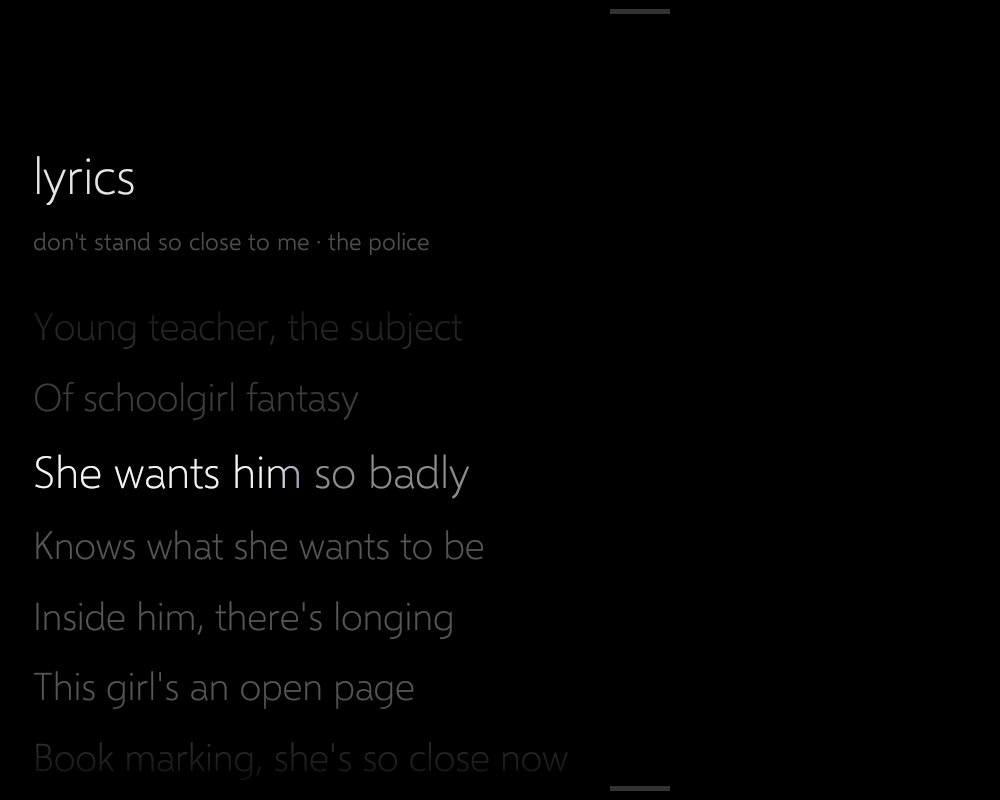
Lyrics come from LRCLIB, which is free and doesn't need an API key. When a song has synced lyrics, a lyrics section shows up right next to music. The current line glows, a soft sweep runs across it while it's being sung, and tapping any line makes Spotify jump there. If a song has no lyrics, the section just isn't there.
the rest of it
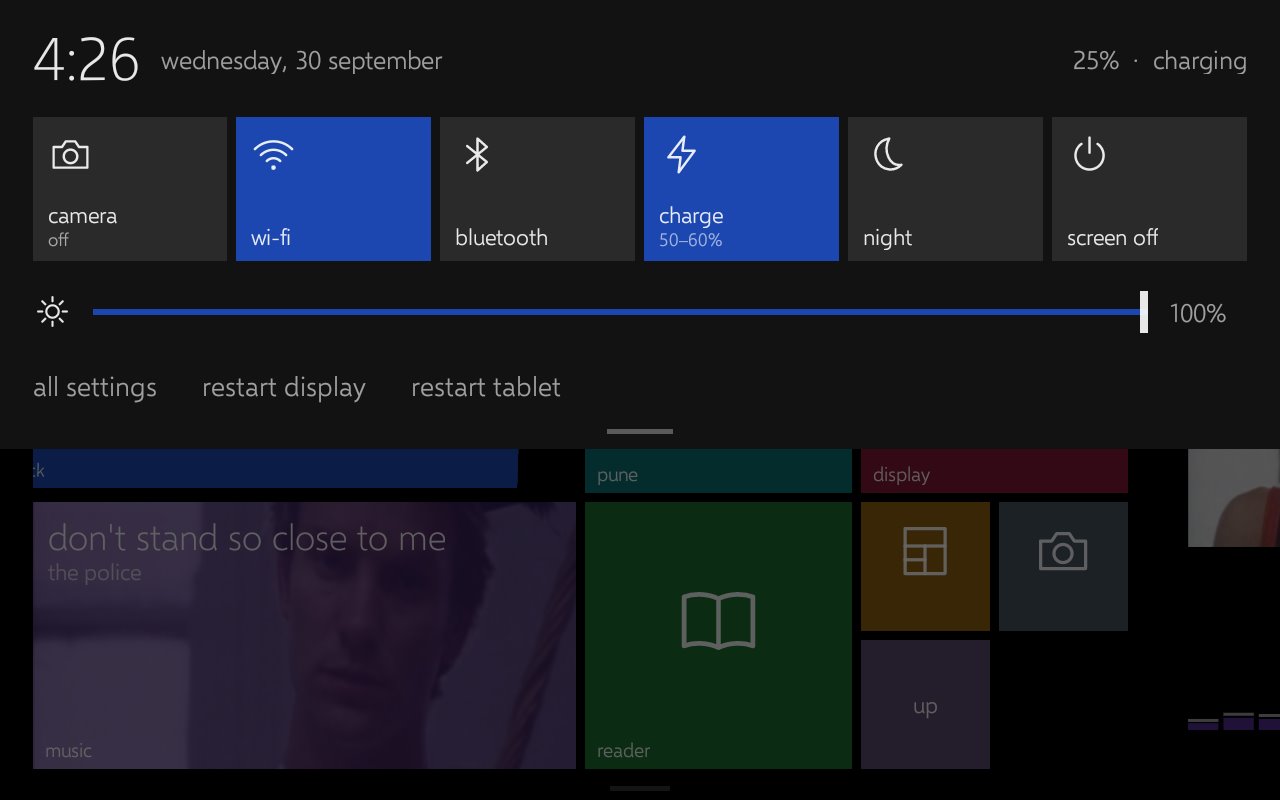
Pull down from the top and there's an action center, the way Windows Phone 8.1 had one. It runs on root, so it can do things Android 11 won't let a normal app do: toggle Wi-Fi and Bluetooth, set the brightness, switch the camera server off, or pause the charge limiter when i actually want a full battery.
Pull up from the bottom and there's a sheet with my Google Keep notes and the week from my calendar. Keep has no official API for personal accounts, so it goes through gkeepapi, an unofficial library that speaks the Keep Android app's own sync protocol. Ticking a checklist item on the tablet ticks it in Keep a few seconds later.
Swipe right from home and there's a windows section: CPU per core, GPU load and temperature, RAM, battery, network, plus a speaker picker, volume, Bluetooth, power mode, lock and sleep. Basically a Steam Deck quick menu for my laptop. Windows has no public API for switching the default speaker, so that part uses the same undocumented COM interface the Sound settings use.
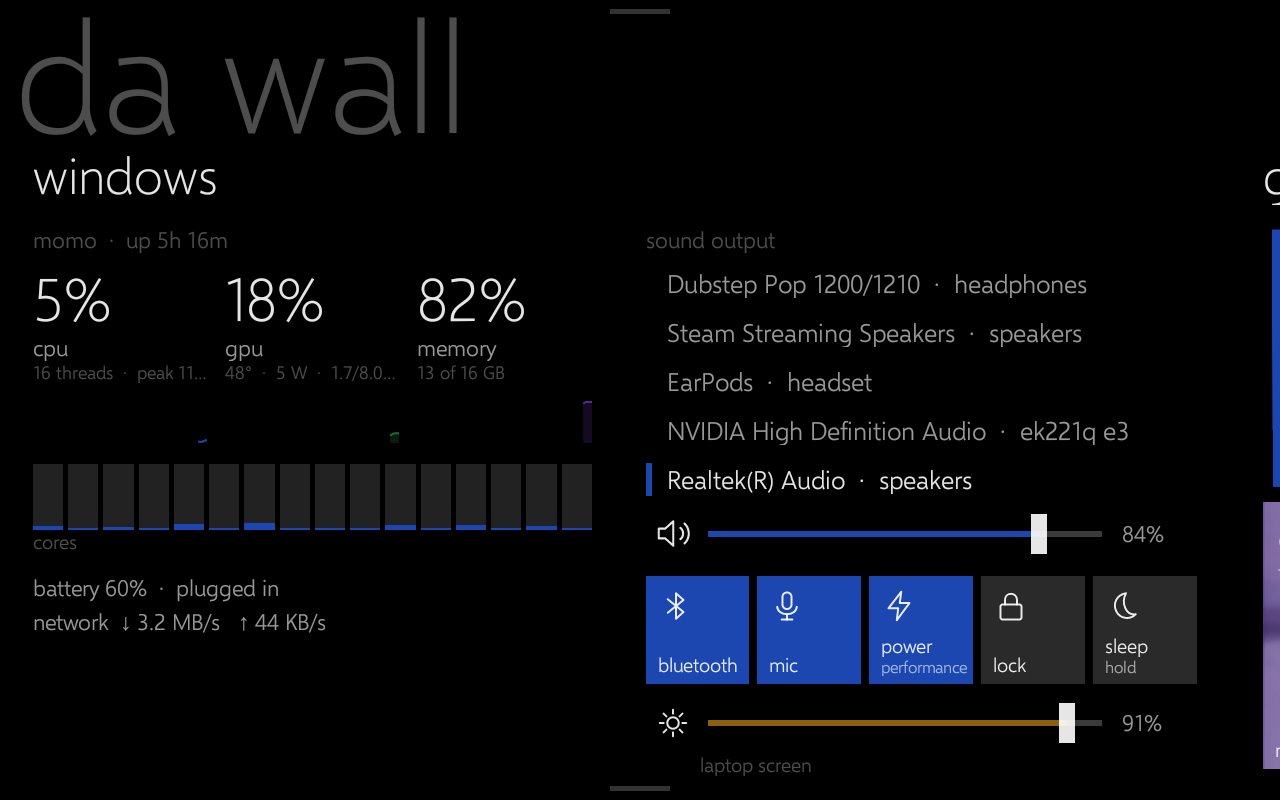
My one rule for the laptop side was that it should cost basically nothing. The first version of that section used 9.3% of a CPU core while i was looking at it, which is a lot for a status page. Listing every network adapter each second and rebuilding the audio device list on every read were the expensive bits. With those cached it's around 0.16% of one core, and when the tablet is showing something else the bridge does close to nothing.
Last thing. Android's 3-button bar is huge on this screen, and because the tablet is rotated it sat down the left side like a sidebar nobody asked for. It's gesture navigation now. The status bar is gone as well, which Android 11 no longer has a setting for, so a small overlay sets its height to zero and an invisible strip along the top edge still pulls the notifications down. The only place that trick fails is the Settings app, which hides other apps' overlays on purpose.
That's the wall for now. A Linux section for my home server is next on the list. If you want to build your own, the app, WallBridge and a step-by-step guide are all on GitHub: udaysinh-git/root-lenovo-tab-m8.
listening to Don't Stand So Close To Me by The Police
← All writing