22 Nov 2026 · 5 min read · — reads
Tether: letting Claude Code use my real browser, logins and all
Reading
Every time i asked an agent to do something on a website, it opened a fresh Playwright browser. No cookies, no logins, no extensions. So the first thing it did was hit a login page, and the second thing it did was ask me for my password. (No.)
I already have a browser that's signed in to everything. I wanted the agent to use that one, but only the tabs i point it at. So i built Tether.
TL;DR
- Tether is a browser extension plus a small local MCP server. Claude Code, Codex or any MCP client can use the tabs you share, signed in as you.
- Nothing is visible until you share a tab or approve the agent's request. Before payments, sends and deletes it asks you on the page.
- It works in Chrome, Brave, Edge, Firefox and Zen, and it's live on the Chrome Web Store, Firefox Add-ons, npm and the official MCP registry.
- It's open source under MIT: github.com/udaysinh-git/tether. Site and guide at tether.udaysinh.me.
What it does
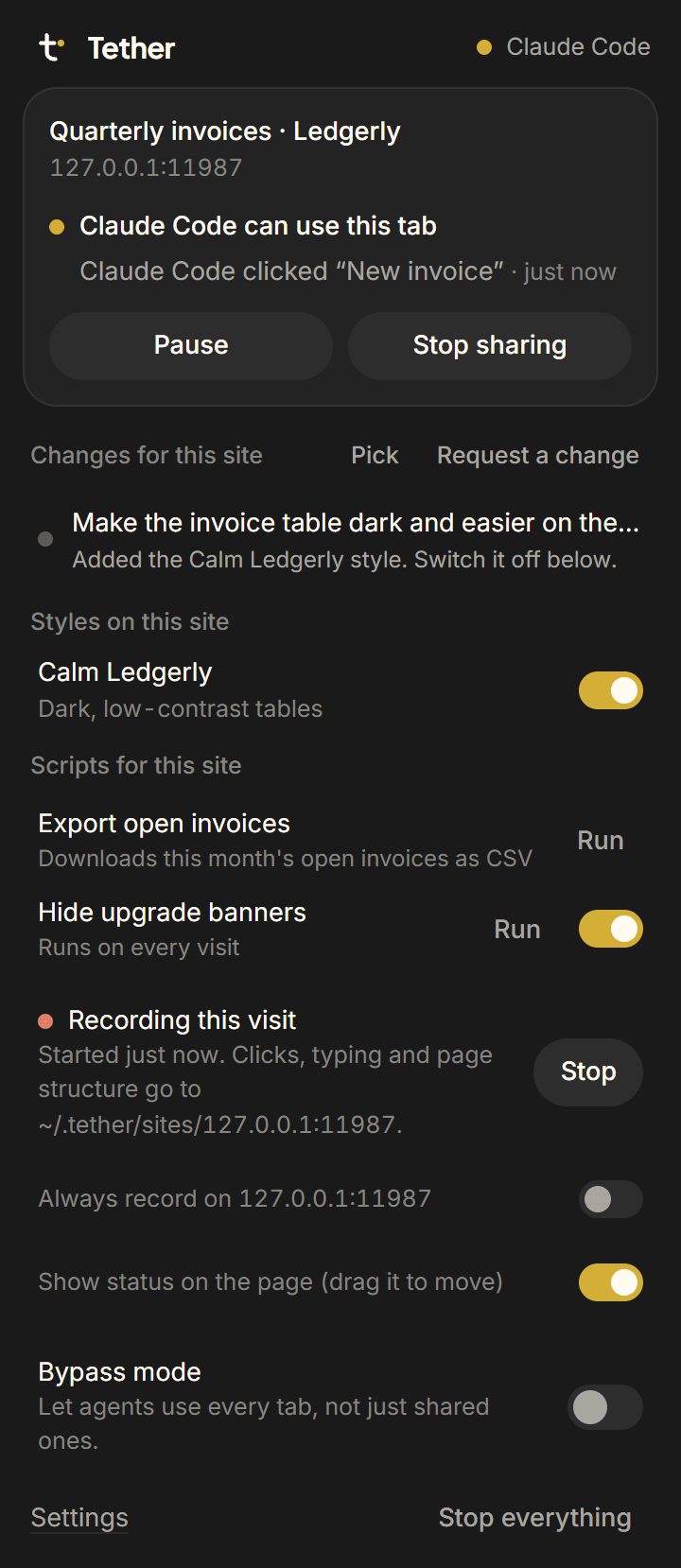
You click the Tether icon on a tab and hit Share this tab. From then on your agent can read the page, click, type, fill forms, read the network log and console, take screenshots, save files and media, and run JavaScript on it. Tabs that a shared page opens get shared too, so a login popup or a "open in new tab" link doesn't break the flow.
Or you don't share anything, you just ask the agent to do something in the browser. It calls start_session, your browser shows an Allow/Deny prompt, and the agent gets its own window so your tabs stay yours.
The parts i actually care about
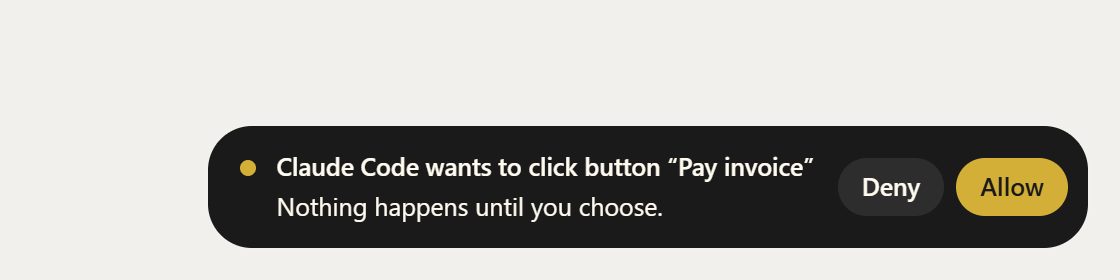
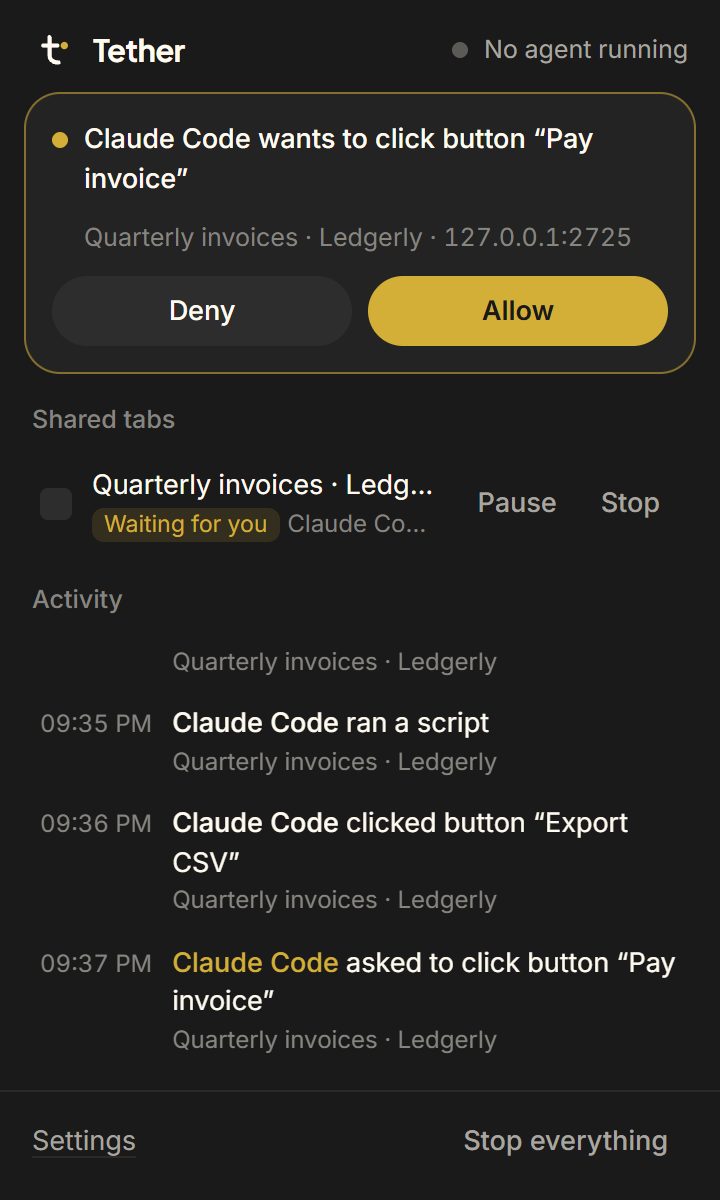
Consent. I didn't want "give the AI my whole browser" as a feature. Every tab is opt-in. You can share a tab read only. And when the agent goes to click something that looks like Pay, Send, Delete or Submit order, Tether puts a little Allow/Deny right there on the page and waits for you. Say no and the agent gets an error it's told not to retry.
Handing it back to me. CAPTCHAs, 2FA codes, the "is this you?" emails. The agent calls wait_for_user and stops, i do the human bit in the tab, and it carries on from there.
Changing sites. You can send a change request from the popup (text plus screenshots), the agent previews CSS on the live page, checks a screenshot, and saves it. Styles save as Stylus UserCSS and scripts as Tampermonkey userscripts, so nothing is locked into Tether. That came from me wanting to fix ugly sites without learning a new format.
Remembering sites. If you turn on recording for a site, Tether keeps notes on how you use it: pages, the API calls behind them, what you clicked. Next time an agent shows up there, site_map hands it that instead of making it poke around from zero. Passwords, cards and OTPs are always masked.
The annoying bits
Firefox was the fun one. I use Zen, which is Firefox underneath, and Firefox quietly upgrades an extension's ws://127.0.0.1 connection to wss://. A plain local server never sees it. So Firefox-based browsers go through a small native messaging bridge instead, which also starts the host and hands over the pairing key, so Firefox users don't paste anything.
On Chrome, Tether uses the debugger API so clicks and key presses arrive as real input. A lot of sites ignore synthetic clicks. Funny enough, the Chrome Web Store dashboard is one of them: when i submitted Tether for review, the final confirm button ignored Tether's clicks and i had to press it with my own finger.
It keeps a small footprint on the page (no globals, a closed shadow root), and that's as far as hiding goes. No fingerprint spoofing, no bot-detection evasion. I'm not building a scraper.
What i use it for
Mostly boring admin i'd otherwise click through by hand. I make music now, and DistroKid has no API, so Claude checks which of my releases are live and fills in the credits on each one through Tether. The DNS record for tether.udaysinh.me got added the same way, from my logged-in Vercel dashboard.
It isn't perfect. Canvas apps like Figma or a Google Sheets grid give it very little to grab, so it falls back to screenshots and JavaScript. And attaching big files to some forms in Firefox still drops the connection, so i drag those in myself.
Where it is now
Started November 15, made public on the 17th, and since then: 53 tools, 7 end-to-end test suites that touch every one of them, the Chrome Web Store, Firefox Add-ons, npm, the official MCP registry and Glama. npm counted about a thousand downloads in the first few days (some of those are mirrors and bots, i know, let me have this).
Setup is two commands and an extension:
npm install -g tether-browser
tether setup
setup prints the exact line to add it to Claude Code or Codex, then you install the extension from your browser's store. The guide has the rest.
If you try it and something breaks, open an issue. If you just want to see it, the demo on the site shows Claude Code paying an invoice, handing me the tab for a phone code, and then giving the app a dark theme.
← All writing